உள்நுழைய இங்கே தொடங்குங்கள்

SITE123 புதுப்பிப்பு பட்டியல்

அனைத்து புதிய அம்சங்களையும் பிழை திருத்த புதுப்பிப்புகளையும் ஒரே இடத்தில் பாருங்கள்!

Header Titles — New Designs & More Control

2026-01-13 புதுப்பிப்புகள்

Your header titles are one of the first things visitors notice on every page—so having the right style makes a big difference. We’ve added a large set of new Header Title designs (including fresh SVG looks) plus new customization options, so you can match your headers to your brand, your layout, and the vibe of each page—whether you want bold and decorative or clean and minimal.

  • ✨ Many new designs added — including new SVG-style header designs

  • 📝 New “text-only” design — a clean option with just the title (no decoration)

  • 📏 Header font size control — choose Extra Large / Large / Normal / Small

  • 📍 Design position options — place the design under the header or under the header + slogan

  • 🎨 More flexibility across pages — create consistent, professional headers site-wide

SEO Advisor Upgrade — Keywords Manager & Smarter Tracking

2026-01-13 வலைத்தள அமைப்புகள் புதுப்பிப்புகள்

We’ve expanded the SEO tools inside Advisor to help users move from “checking SEO” to actually improving it. With the new Keywords Manager, users can organize target keywords, pull them from SEO audits, and run scans to see how well keywords are used across the site—so they can optimize content with confidence and track progress over time.

  • 🔑 Keywords Manager — manage a keyword table in one place (manual keywords + keywords pulled from SEO Audit)

  • 🔍 New Scan — scans the entire website content to find keyword occurrences across pages

  • 📈 Track keyword usage — see where keywords appear and keep usage consistent throughout the site


NEW: Advisor — Your Website Health Hub (Now with Tabs)

2026-01-13 எஸ்சிஓ புதுப்பிப்புகள்

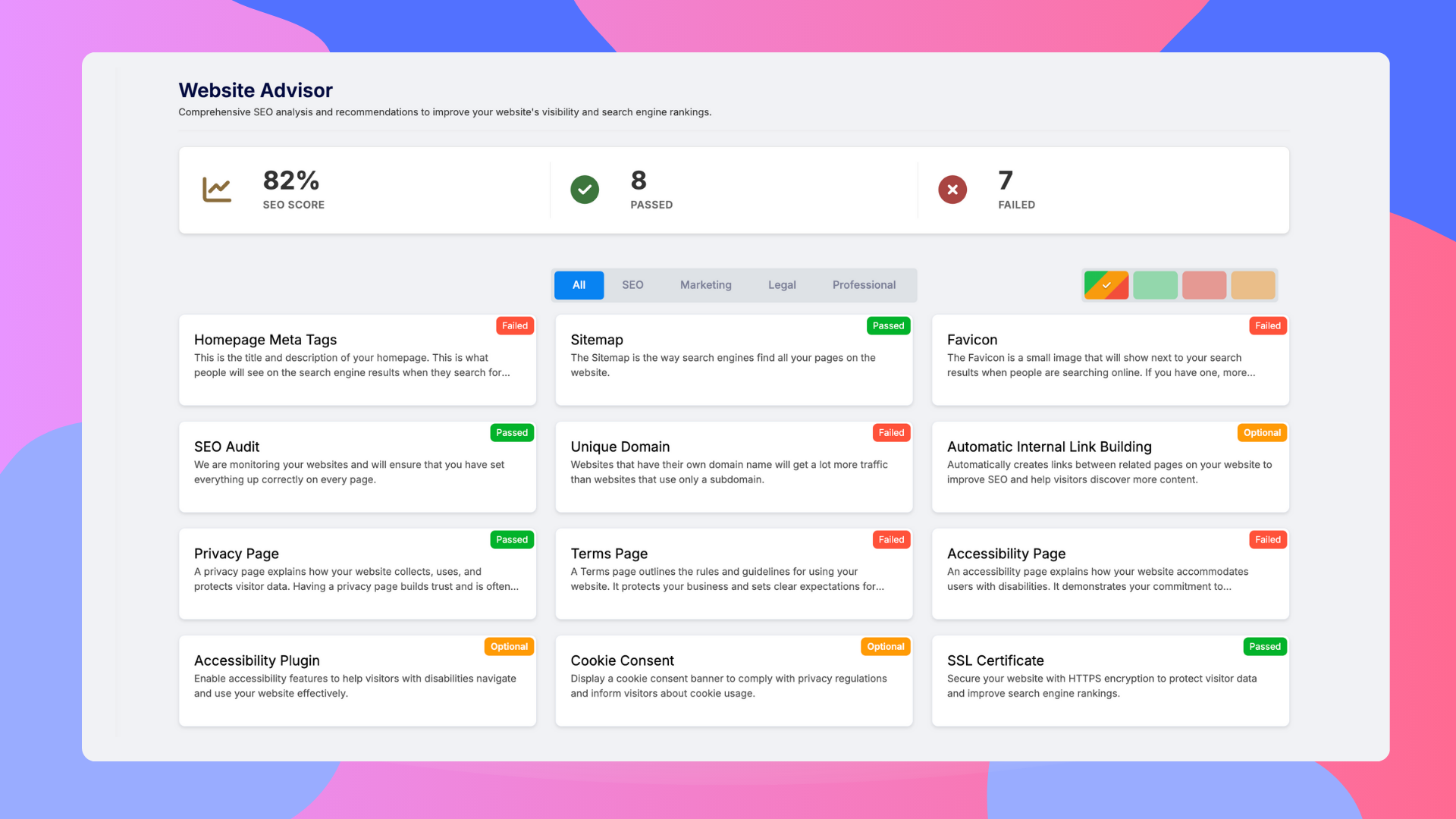
Keeping a website in great shape isn’t just about design—it’s SEO, legal pages, accessibility, and overall professionalism. The new Advisor brings these key areas together in one place, with clear indicators and category tabs so you always know what needs attention. We also integrated the existing SEO Advisor into this new experience, so all guidance now lives inside one organized tool.

  • 🧭 Tabbed categories — organized views for key areas (SEO + additional website health categories)
  • 📊 Quick overview of SEO health— including SEO score and passed/failed SEO tests
  • ✅ Legal & essential page indicators — status checks for AccessibilityTerms of Service, and Privacy pages
  • ⚠️ Smart warnings — if a page is enabled but missing content, you’ll see a clear prompt to add it
  • 🔗 SEO Advisor integrated — the existing SEO Advisor is now part of the new Advisor flow for a single, centralized experience


Comment Reply System

2026-01-13 புதுப்பிப்புகள்

Turn comments into conversations. With the new Comment Reply System, site managers can reply to customer comments directly from the management interface—making it easy to answer questions, thank visitors, and build a stronger community around your site. Manager replies are clearly marked with an Admin badge, so customers instantly know they’re hearing from the official source.

  • 💬 Reply directly from the manager interface — no need to leave the dashboard

  • 👑 Admin badge on manager replies — makes official responses easy to recognize

  • 🤝 Better engagement & support — respond faster, build trust, and encourage interaction

  • ⭐ Great for reviews & feedback — handle questions and concerns in the same thread


Blog & Articles — Image Galleries

2026-01-13 பக்கங்கள் புதுப்பிப்புகள்

Make your posts more visual, engaging, and professional. With the new Image Gallery block, you can add multiple images in one clean section—perfect for step-by-step tutorials, event recaps, photo stories, portfolios, or product showcases. It’s a faster way to build rich content that keeps readers scrolling.

  • 🖼️ Multi-image gallery block — insert an image gallery directly inside blog posts and articles

  • ✍️ Built into the editor — add it from New Block → Multiple Images while editing an item

  • 📱 Fully responsive — galleries automatically look great on desktop, tablet, and mobile

  • ⚡ Easy to use — add multiple images at once for quicker content creation


Video Background Effects

2026-01-13 புதுப்பிப்புகள்

Video backgrounds already make a section feel premium—now you can fine-tune the mood and readability in seconds. With Video Background Effects, you can apply stylish filters like Black & White or Blur to your background video, helping your text and buttons stand out while keeping the design clean, modern, and intentional.

  • ⚫⚪ Black & White — create a classic, sophisticated look

  • 🌫️ Blur — reduce visual noise and keep focus on your content

  • 🎛️ Quick to apply — choose an effect directly in the section settings

  • ✨ Better readability — improves contrast so foreground content pops


Parallax Animation — More Direction Options

2026-01-13 புதுப்பிப்புகள்

Parallax is one of the easiest ways to add depth and a premium feel to your site. Now you’re in full control: instead of a single default effect, you can choose which direction the parallax movement goes, so the animation fits your design, your imagery, and the story you want your page to tell.

  • ↕️ Vertical movement — choose up or down motion

  • ↔️ Horizontal movement — choose left or right motion

  • 🎛️ More creative control — match the parallax direction to the layout and content flow

  • ✨ More dynamic pages — add motion that feels intentional, not one-size-fits-all


Section Backgrounds: New Pattern Options

2026-01-13 புதுப்பிப்புகள்

Add texture, depth, and style to any section—without needing to find or upload an image. With the new Background Patterns option, you can choose from a library of ready-made patterns and customize the look in seconds. It’s a fast way to make sections feel more designed, highlight important content, and keep your site visually consistent with your brand.

  • 🎨 Pattern styles — pick from a variety of built-in pattern designs

  • ⚡ No upload needed — apply a polished background with one click

  • 🖼️ Works alongside images — use patterns instead of (or in addition to) background images

  • 🎨 Pattern background colors — choose from 5 solid colors

  • 🌈 Color themes — match your site with Primary / Contrast / Mono options

  • 🔳 Shape opacity — control how subtle or bold the pattern appears

  • 🌀 Animation speed — adjust motion to fit the vibe of your page


Cloud Words - New Animation Styles

2026-01-13 புதுப்பிப்புகள்

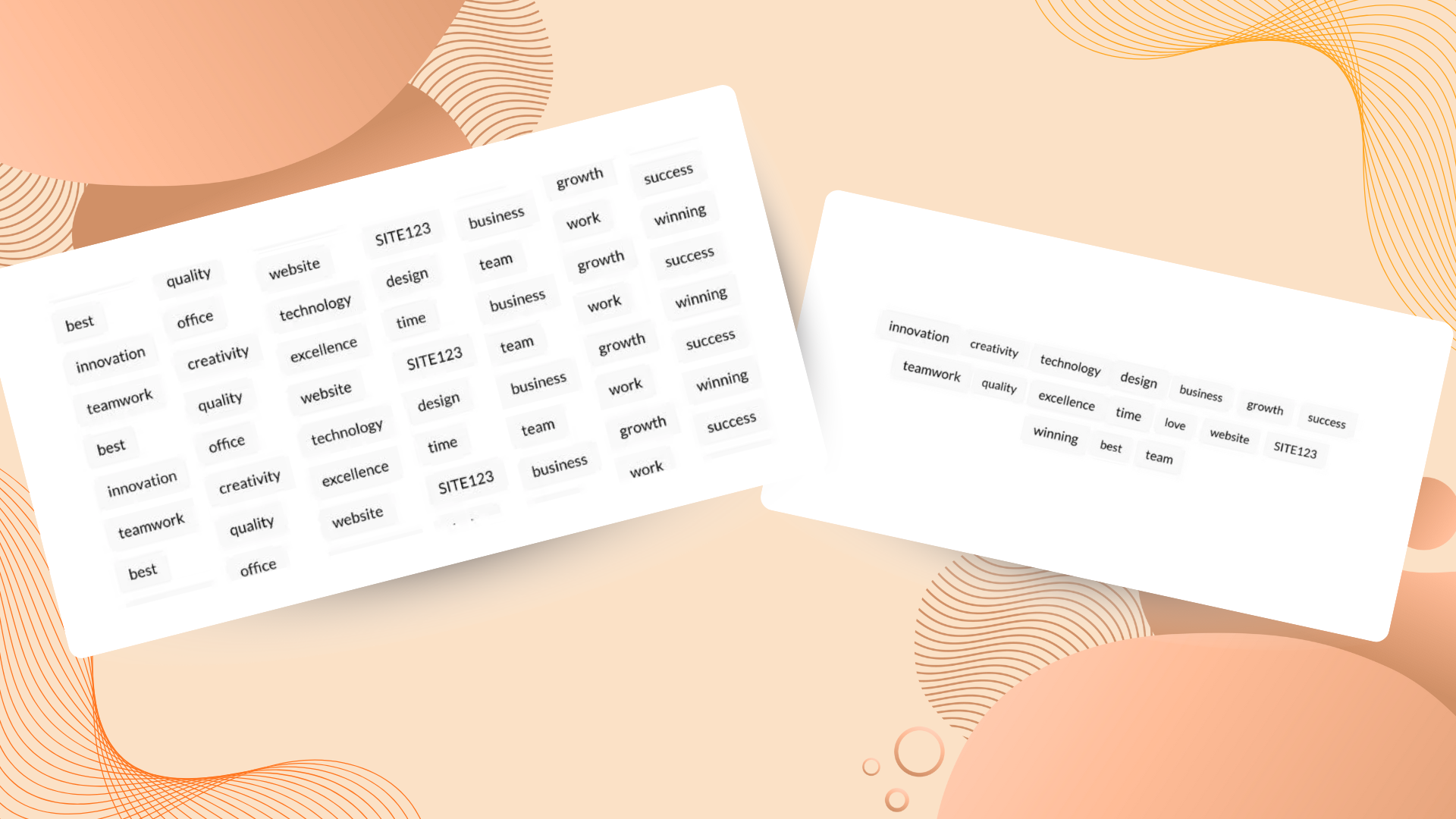
Make your keywords feel alive. We’ve added new animated Cloud Words styles that turn simple word clouds into an eye-catching design element—perfect for highlighting your strengths, topics, services, or brand values in a way that instantly grabs attention and adds energy to your page.

  • 💧 Waterfall style - words flow downward in a smooth, dynamic motion

  • ❤️ Heart Pulse style - words pulse in a heart-beat animation

  • ✨ More visual impact - animation helps key words stand out and keeps visitors engaged

  • 🎯 Great for highlights - ideal for showcasing topics, services, or brand values


Team — New Layouts

2026-01-13 தளவமைப்புகள் புதுப்பிப்புகள்

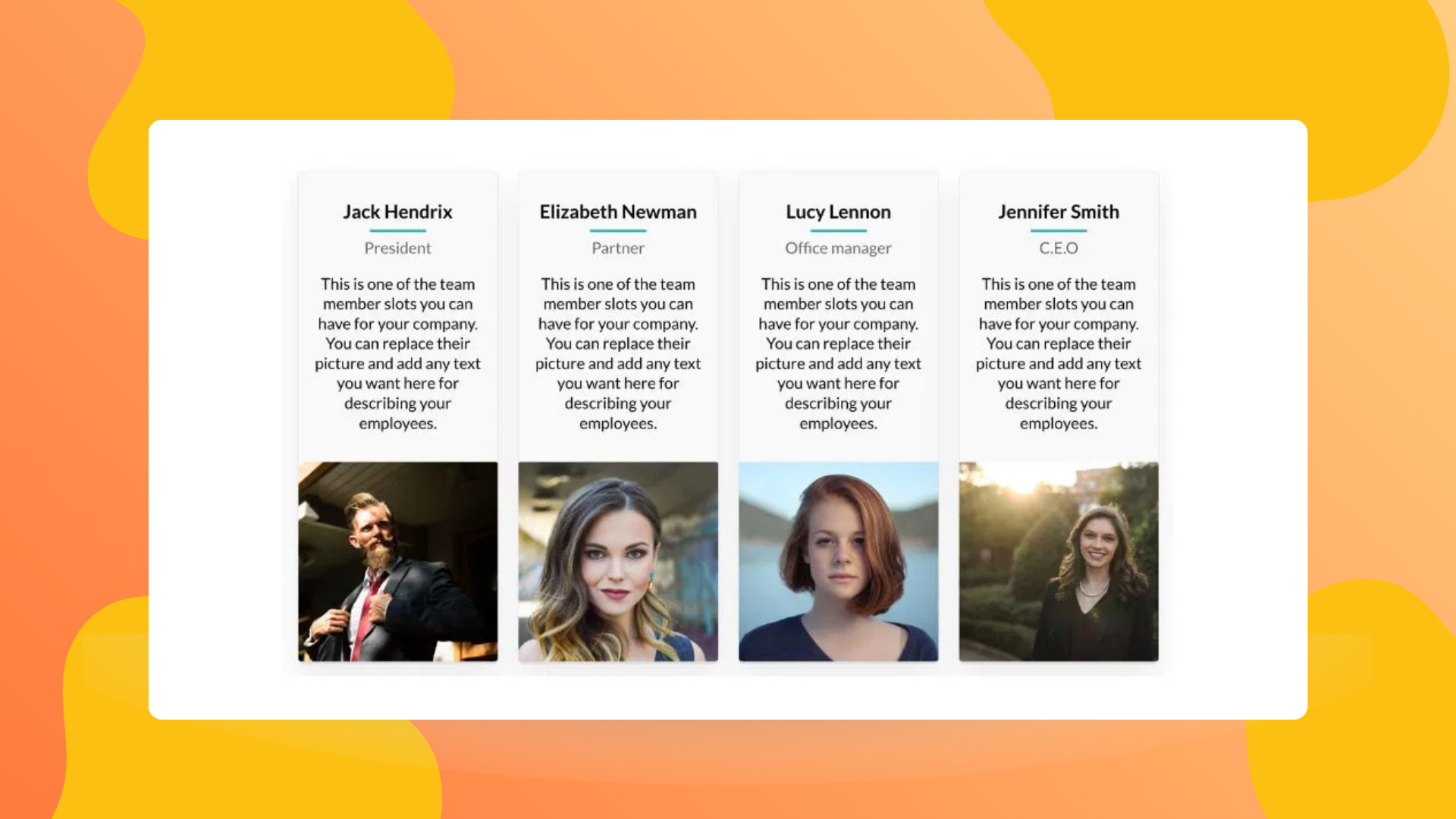
Build trust faster by putting real people front and center. We’ve added new Team layouts that help you showcase your team members in a cleaner, more modern way—so visitors can quickly connect with your brand, feel more confident, and take the next step.

  • 👥 Fresh, modern designs — new layout options for presenting team members

  • 💼 More professional presentation — highlight roles, names, and personalities clearly

  • 🎨 Fits your site style — designed to work smoothly with existing design styles

Make your team page more engaging and professional!


இனி காத்திருக்க வேண்டாம், இன்றே உங்கள் வலைத்தளத்தை உருவாக்குங்கள்! ஒரு வலைத்தளத்தை உருவாக்குங்கள்

இன்று US இல் 1855 க்கும் அதிகமான SITE123 இணையதளங்கள் உருவாக்கப்பட்டுள்ளன!